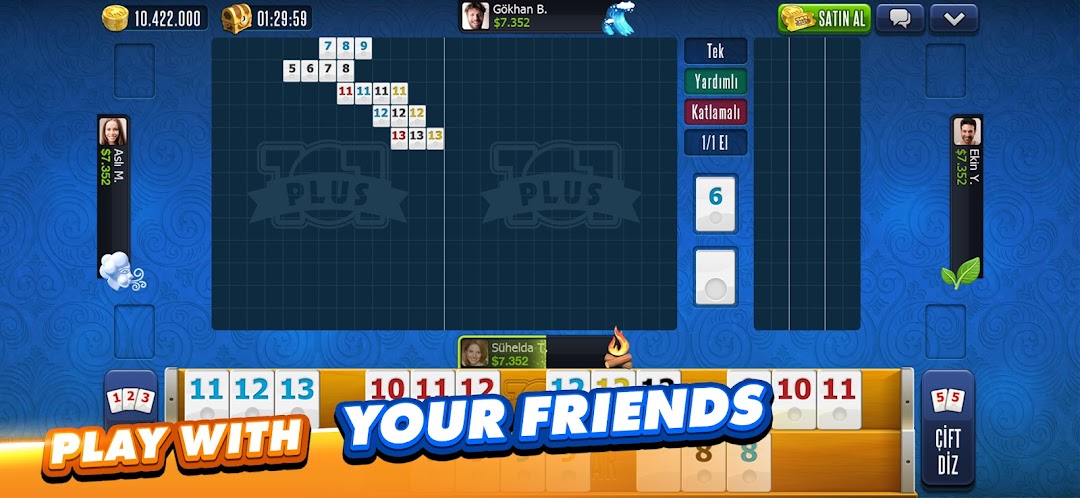
101 Okey Plus Rummy Board Game是Zynga開發的一款能夠在行動裝置上運行的棋牌應用程式,但使用最好的Android 模擬器-雷電模擬器 ,你可以在電腦上下載並暢玩101 Okey Plus Rummy Board Game。
在電腦上運行101 Okey Plus Rummy Board Game,您可以在大螢幕上清晰地瀏覽, 而用滑鼠和鍵盤操控應用程式比用觸摸屏鍵盤要快得多,同時你將永遠不必擔心設備的電量問題。
通過多開和同步功能,你甚至可以在PC上運行多個應用程式和帳戶。
而文件互傳功能讓分享圖像、影片和文件也變得非常容易。
下載101 Okey Plus Rummy Board Game並在PC上運行。享受PC端的大螢幕和高畫質畫質吧!
101 YüzBir Okey Plus, played by over 1,000,000 players everyday! And it’s FREE!- Enjoy the best Okey Rummy 101 game ever with 101 YüzBir Okey Plus. Play online via 3G, 4G, Edge or Wi-Fi with your friends or against more than 1,000,000 users;
- See your online friends and join their games with a single click;
- Meet new people by chatting with them while playing Rummy 101 YüzBir Okey;
- Play as a guest without logging into your Facebook account;
- Get thousands of FREE chips by downloading and logging in every day to have as much fun as you can with Rummy 101 YüzBir Okey!
Your friends have already joined the exciting world of 101 YüzBir Okey Plus, the fastest & the most amazing Okey 101 game ever, played by millions of users– join them now!
PLAY NOW
- Click “Play Now” to join a random game room and start playing 101 YüzBir Okey within seconds.
CHOOSE A GAME ROOM
- Join a private game room consisting of players of the same level and become a 101 YüzBir Okey legend by playing every day.
OPEN A GAME ROOM
- If none of these options are for you, set your own bet amount and start your own game.
PLAY WITH YOUR FRIENDS
- See your online friends on your friends list and join their games to play 101 YüzBir Okey together.
VOICE CHAT TABLES
With the Voice Chat feature, you can meet new friends while voice chatting. Play 101 and voice chat at the same time.
PRIVATE TABLES
Play 101 Okey only with friends you invite or those who share the password in Private Tables. Plus, the Voice Chat feature is also available in these rooms.
*************
Encountered a problem or have an idea? Contact us via android.support@zynga.com
Stay up to date on news and improvements on:
https://www.facebook.com/101okeyplus
Additional information:
• The game is free to play; however, in-app purchases are available for additional content and in-game currency. In-app purchases range from $0.99 to $99.99 USD.
• Zynga, the creator of many fun board games like Okey Plus, Tavla Plus, and Çanak Okey Plus, has developed this game.
• Use of this application is governed by Zynga’s Terms of Service, found at https://www.take2games.com/legal.
©2023 Zynga Inc.